




CM Events gives participants an overview of all events they are signed up for, even across multiple email addresses.
Get CM Events
- Download CM Events from the App Store or Google Play.
- Sign in with the email address used to register for the event.
- Use the verification code sent via email to verify.
- Create and confirm PIN code.
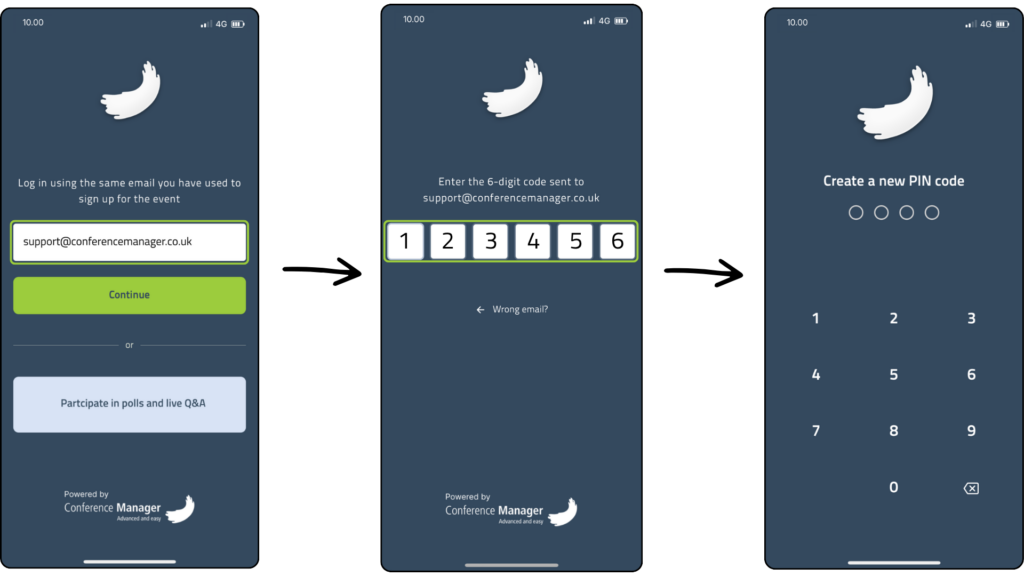
You are now logged in and can view all the events you are registered for with that email address.
View your registration
The event overview gives you a complete list of all the events you’re registered for. Events are sorted by date and can be opened with a single tap.
- Click on Events in the navigation bar to open the event overview.
- Tap on a specific event to open its details.
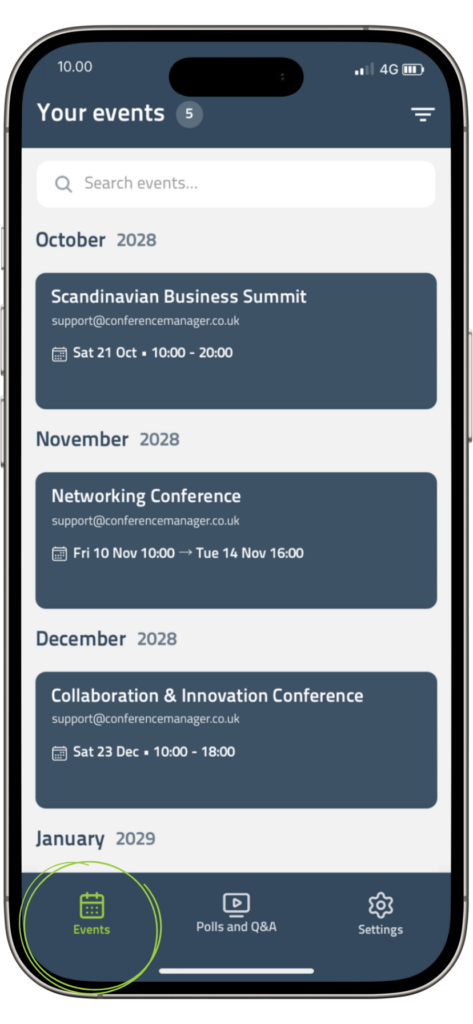
When you open an event, you can view your personal registration details, including the programme, options, accommodation, and seat choices.
Add multiple email addresses
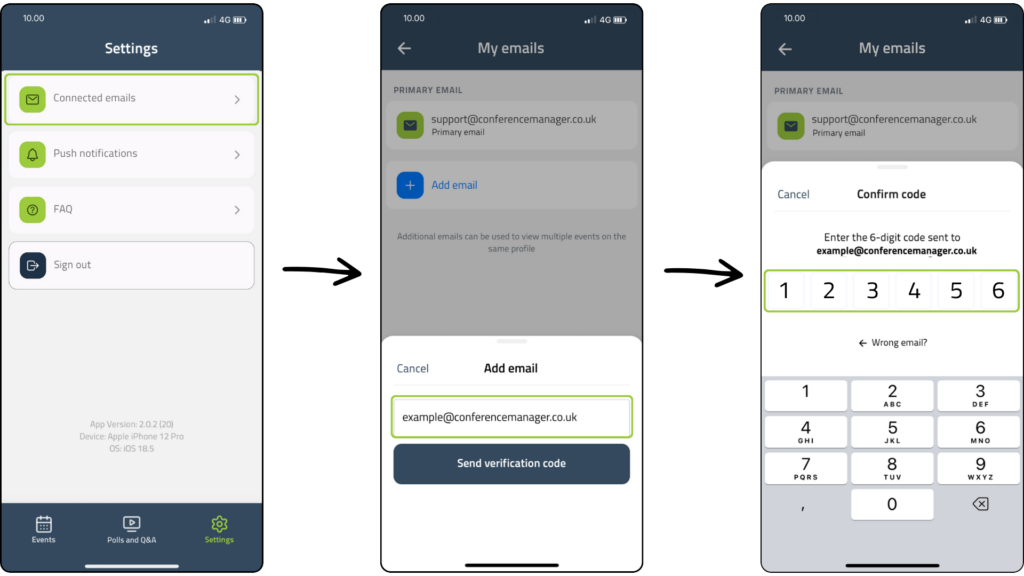
You can also add multiple email addresses. This allows you to collect all the events you’re registered for, even if you’ve used different email addresses.
- Click on the Settings tab and then click Connected emails.
- Click Add email and type in the email address that should be added.
- A code will be sent to the email provided. Type in the code to verify.

Elisabeth Bjørn Andersen
Published: 20.07.2026


