

Find quick answers to the most common questions about CM Events, including tickets, programmes, quizzes, shared materials and connected email addresses.
How do I change the language in the app?
The app automatically follows the language of your phone.
If your device uses a language that the app does not support, the app will appear in English.
Where can I find my ticket?
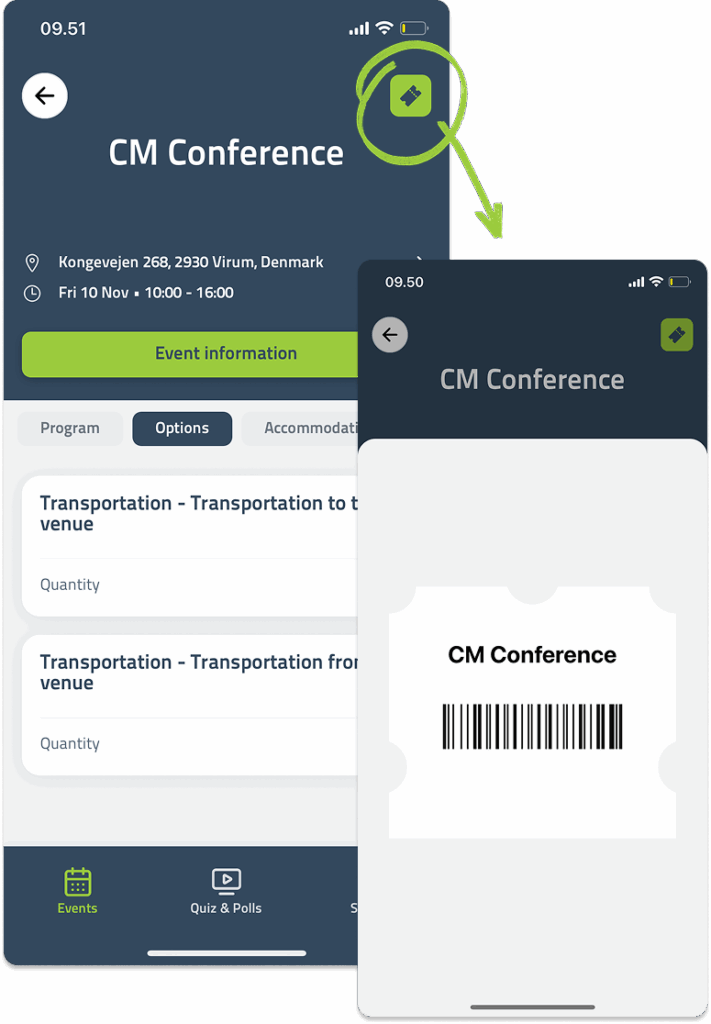
If a ticket is available for the event, open the event and tap the green icon in the top right corner.
This is a direct shortcut to your ticket, which can be scanned at the entrance when you arrive.
How do I view my personal or general programme?
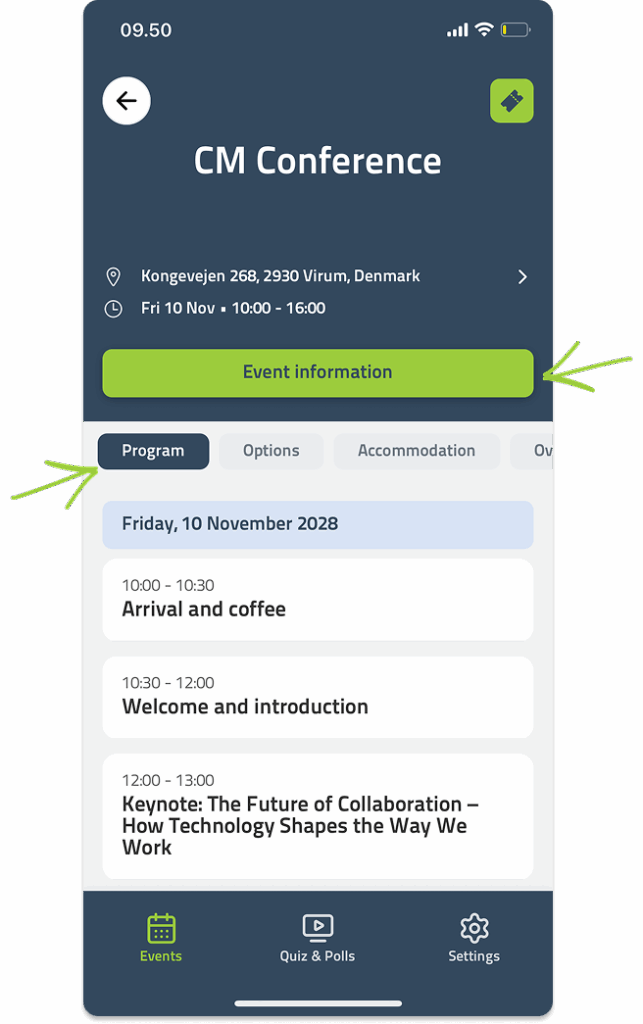
If you have a personal programme with individual sessions, you can find it under the Programme tab inside the event.
If the organiser has published a general programme, you’ll find it under the Website pages by tapping the green button in the middle of the screen.
How do I use the app to join a quiz or Q&A session?
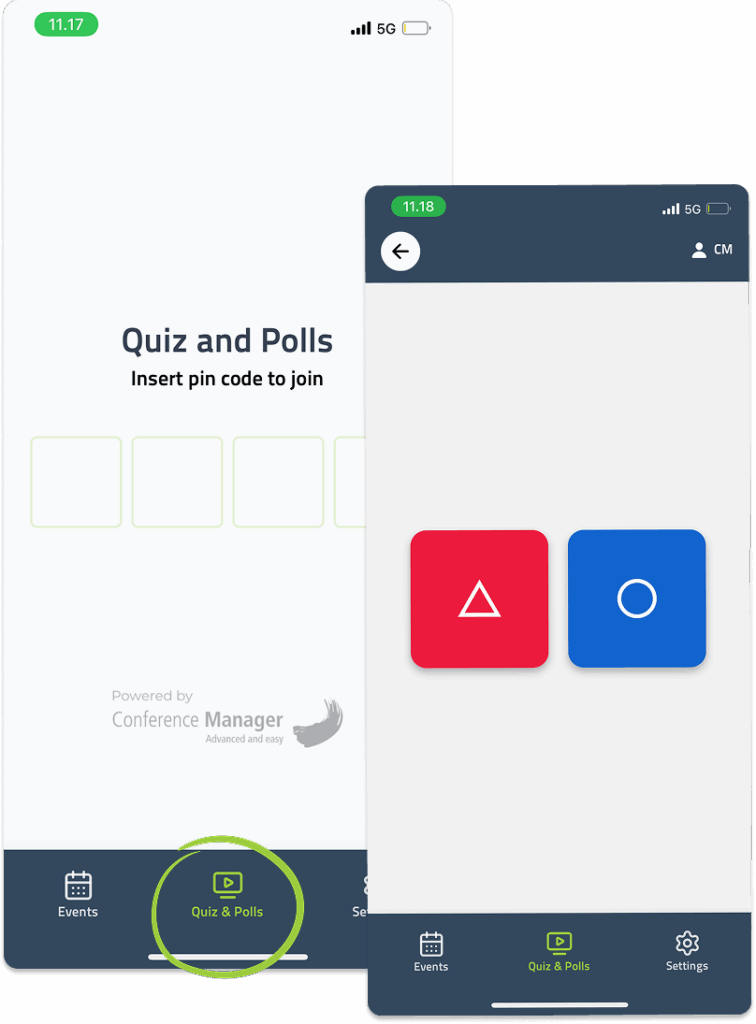
The organiser will share a four-digit code for the quiz or poll.
Open the app and go to the Quiz and polls tab, then enter the code to join and submit your answers.
How do I log out of the app?
Go to Settings in the bottom right corner and tap Sign out.
How can I update my participant information?
To edit your participant information, open your registration in a browser.
It’s not possible to make changes in the app.
Where can I find materials shared by the organiser?
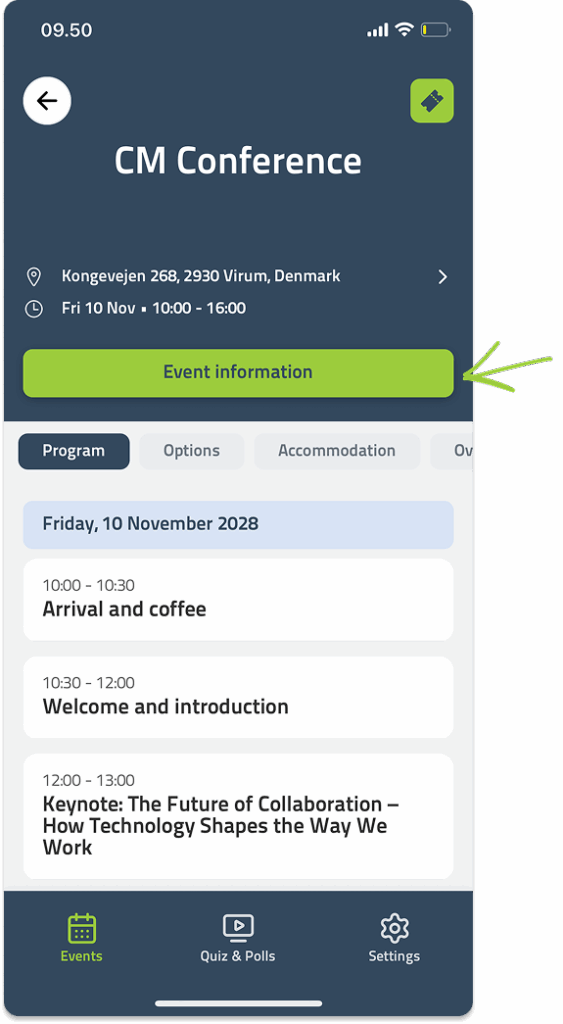
If the organiser has shared files or presentations, you’ll find them under the Website pages by tapping the green button in the middle of the screen after opening the event.
Why can’t I see all my events?
You can only see events linked to the email addresses connected to your account.
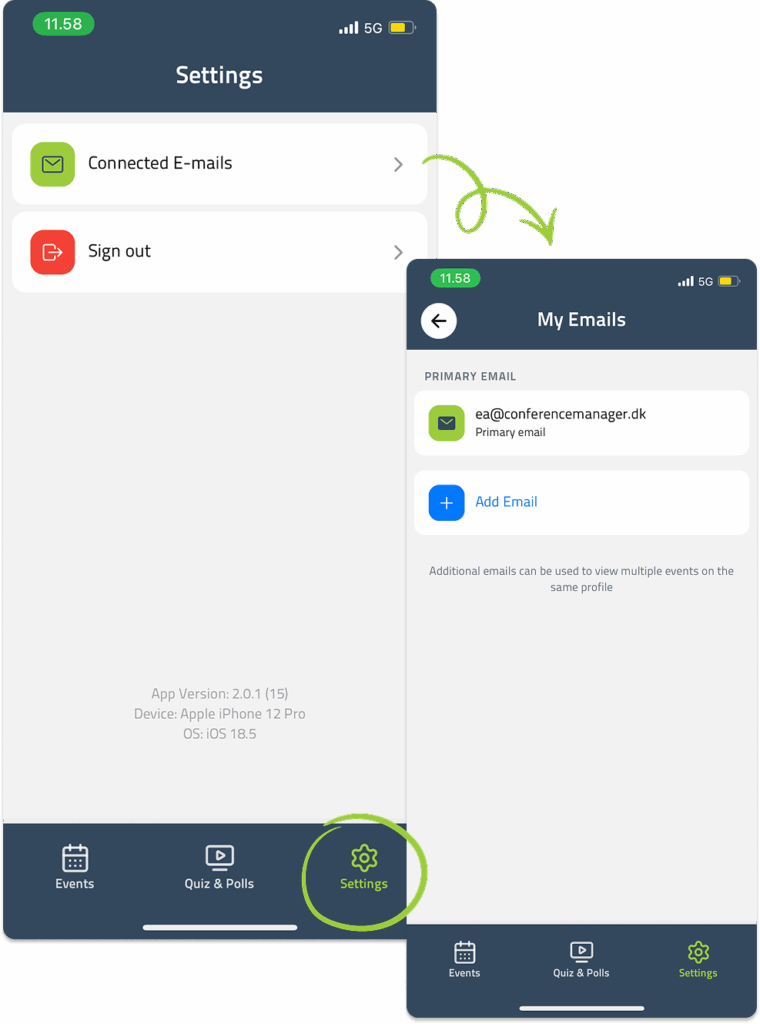
If you registered for events with multiple addresses, go to Settings → Connected emails → Add email to link another address.
Once added, all your events will appear in the app.
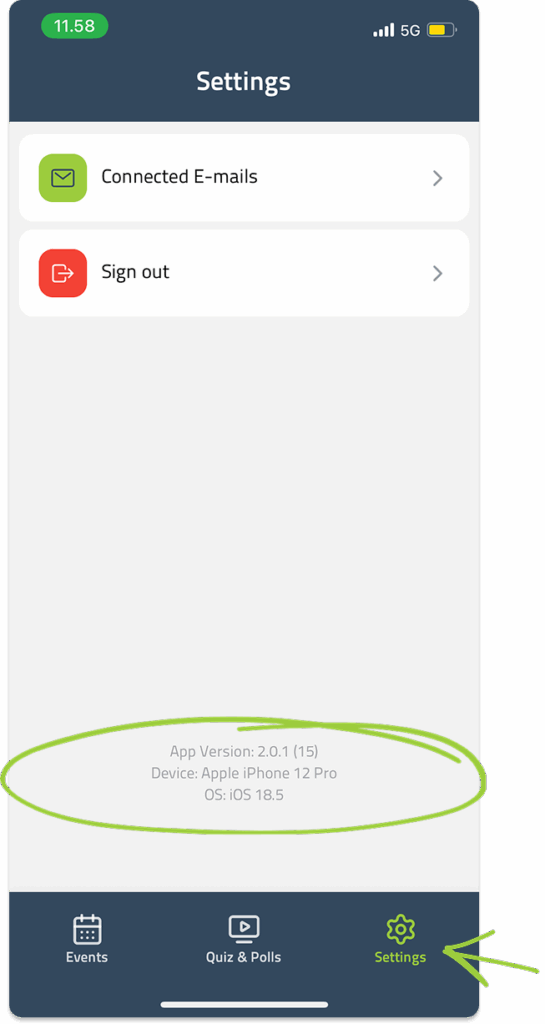
Where can I see which version of the app I’m using?
Go to Settings — the app version is displayed at the bottom of the screen.
Our support team is ready to help.


