
Whether you are using the standard confirmation or have created a new order confirmation yourself, you can choose whether the location should be displayed.
The location provides your participants with information about where your event is being held. Depending on the participation type within the participant categories, information about either the physical or online attendance will be shown. If you have chosen a hybrid participation type, both will be displayed.
Remember, you can register yourself for the event if you want to see how the confirmation actually looks.
All location types will always be visible in the preview and test emails.
Enable location in the confirmation
Click Edit under the confirmation you wish to edit.
Under Registration Info, you can toggle Venue on and off.
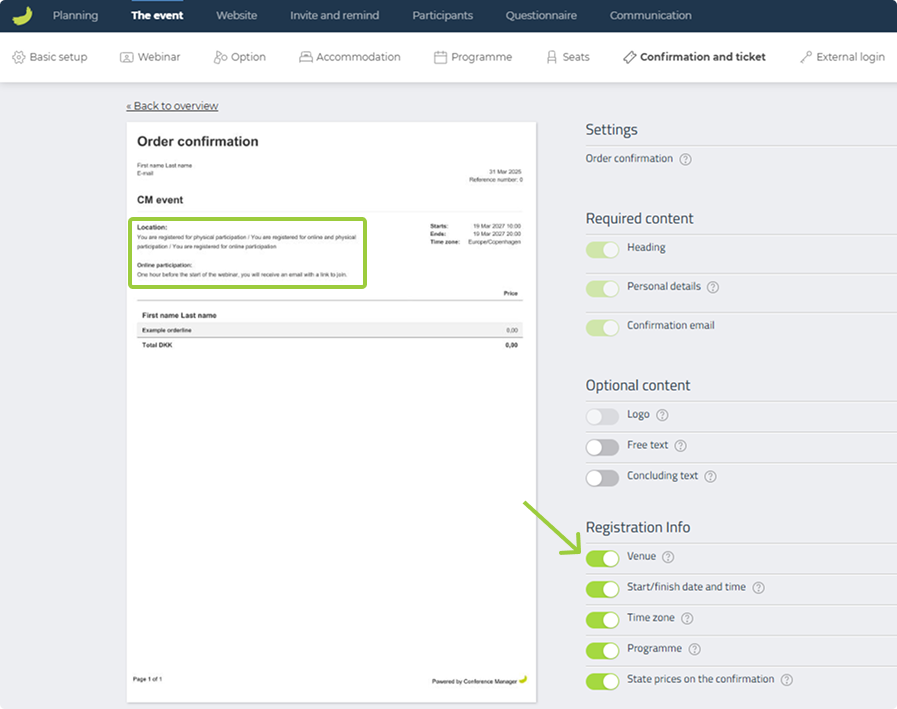
On the left side, you can preview how the confirmation looks. Here, all venue options will always be displayed.
When the confirmation is sent out, only the text relevant to the selected participation type will be included.
Check your type of participation
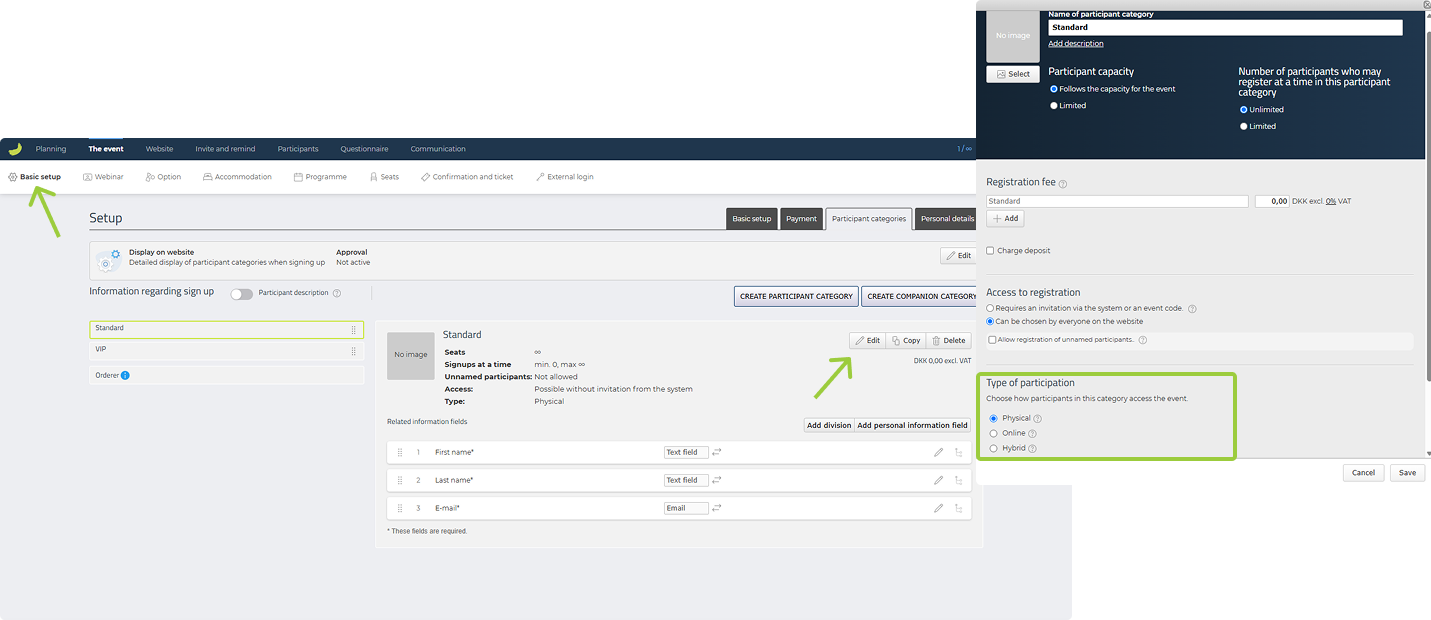
To see which participation types you have chosen, and therefore which text will appear in the confirmation, you should check your participant categories.
Click Edit next to your participant categories.
Further down in the window, under Type of participation, you can select Physical, Hybrid, or Online.
If you have enabled the location in your confirmation, the chosen type of participation will be displayed, along with information relevant to that type.
Change the location for physical participation
If you want to change the information about the physical venue, you need to do this in the basic setup.
Click Edit under Venue (bottom right).
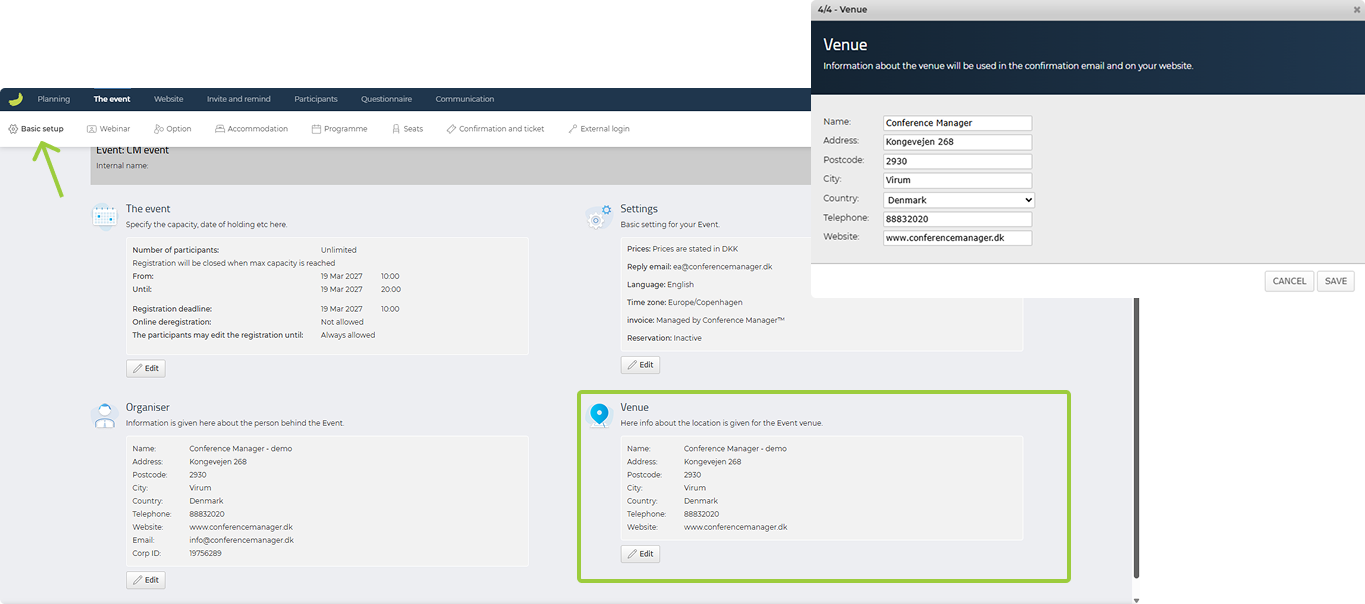
Here, you can update the venue information, which is used in the confirmation if you have enabled the location.
You can also use this information on the event website as merge fields or by creating a venue page.