




Merge fields make it possible to insert dynamic information into emails so that each recipient gets a personalized message. This is especially useful for invitations, registration confirmations, reminders and other automated emails.
Insert personal data as a merge field
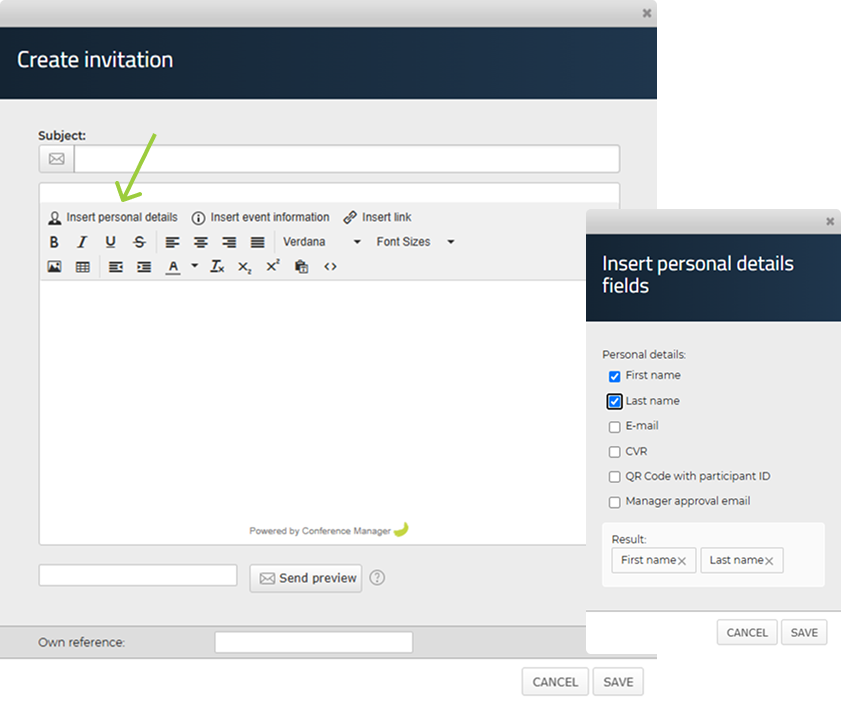
- Go into the email you want to send in Invite and remind or Communication.
- Click Insert personal details to the left above your text field.
- Now select the personal information you want to insert in your email, e.g. First name and Last name.
- Click on Save.
Insert event details as a merge field
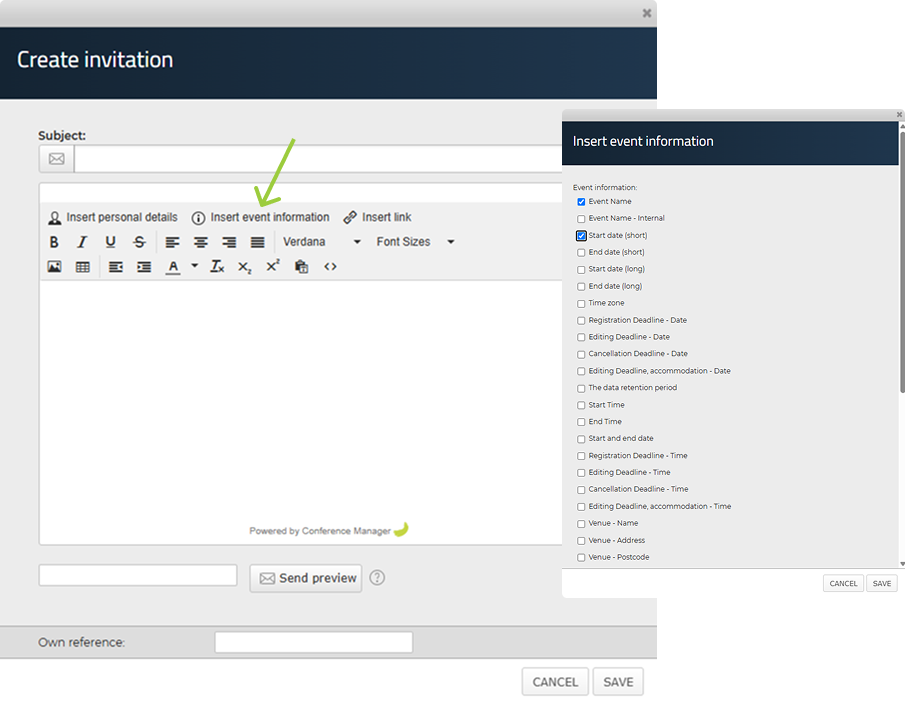
- Go into the email you want to send in Invite and remind or Communication.
- Click Insert event information in the center above your text field.
- Now select the event information you want to insert in your email, e.g. Event name, Venue and Registration deadline.
- Click on Save.
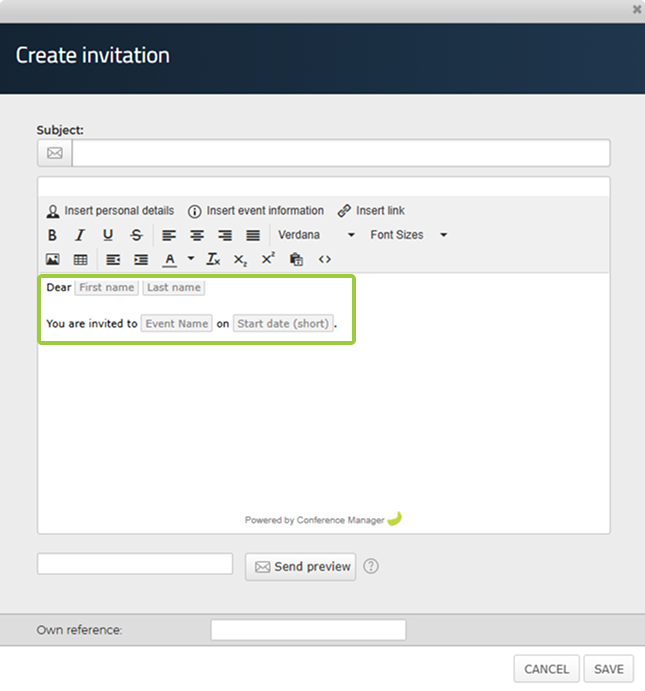
This information will now automatically appear and act as a dynamic placeholder and be customized to the specific participant and event when they receive your email.

Guðrið Simonsen
Published: 01.06.2025


