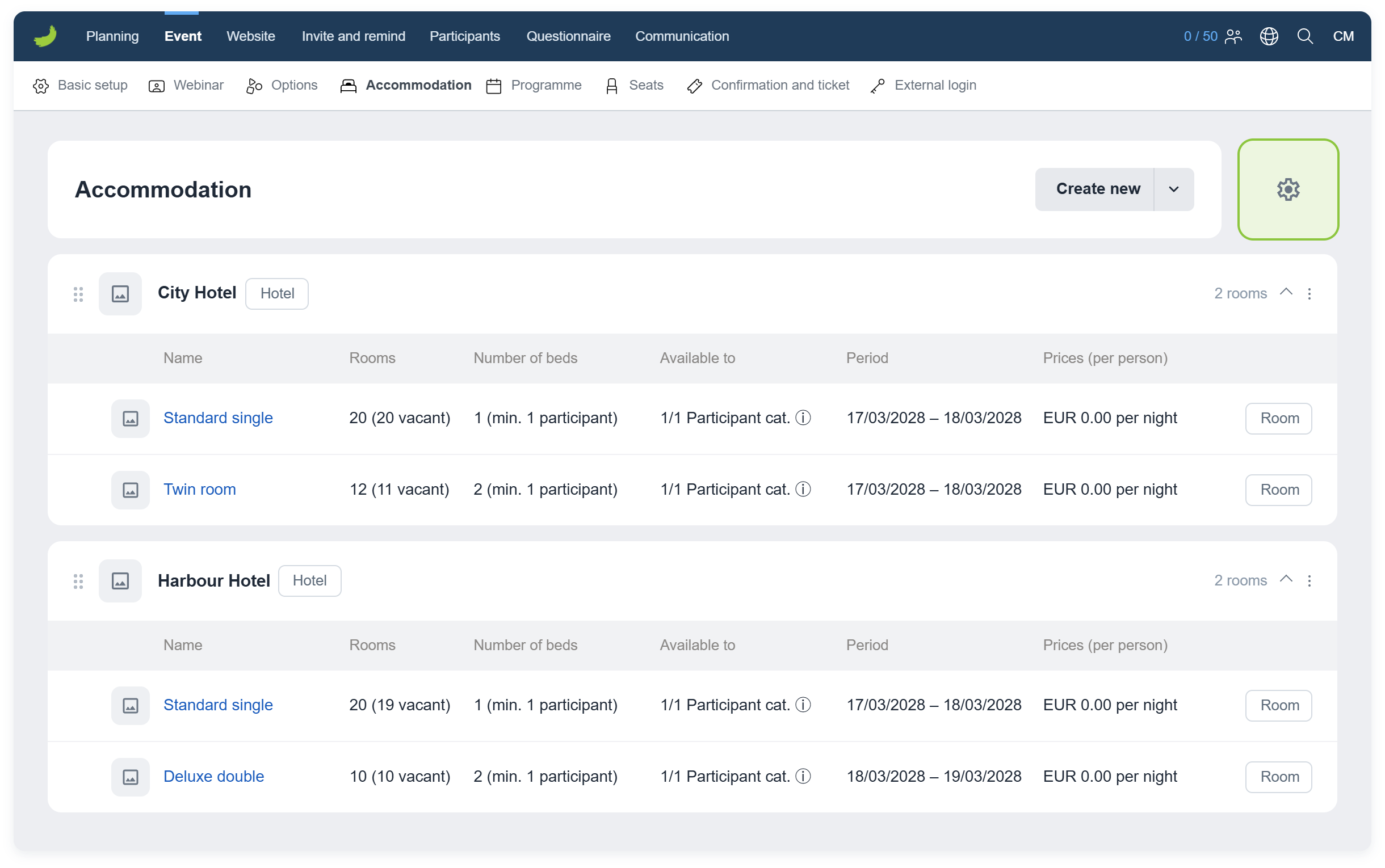
You can allow participants to book more than one accommodation during the same event. This is useful when they need to stay in different rooms or hotels during different parts of their stay.
Enable multiple accommodation bookings
Go to The event → Accommodation and click the settings icon in the top-right corner.
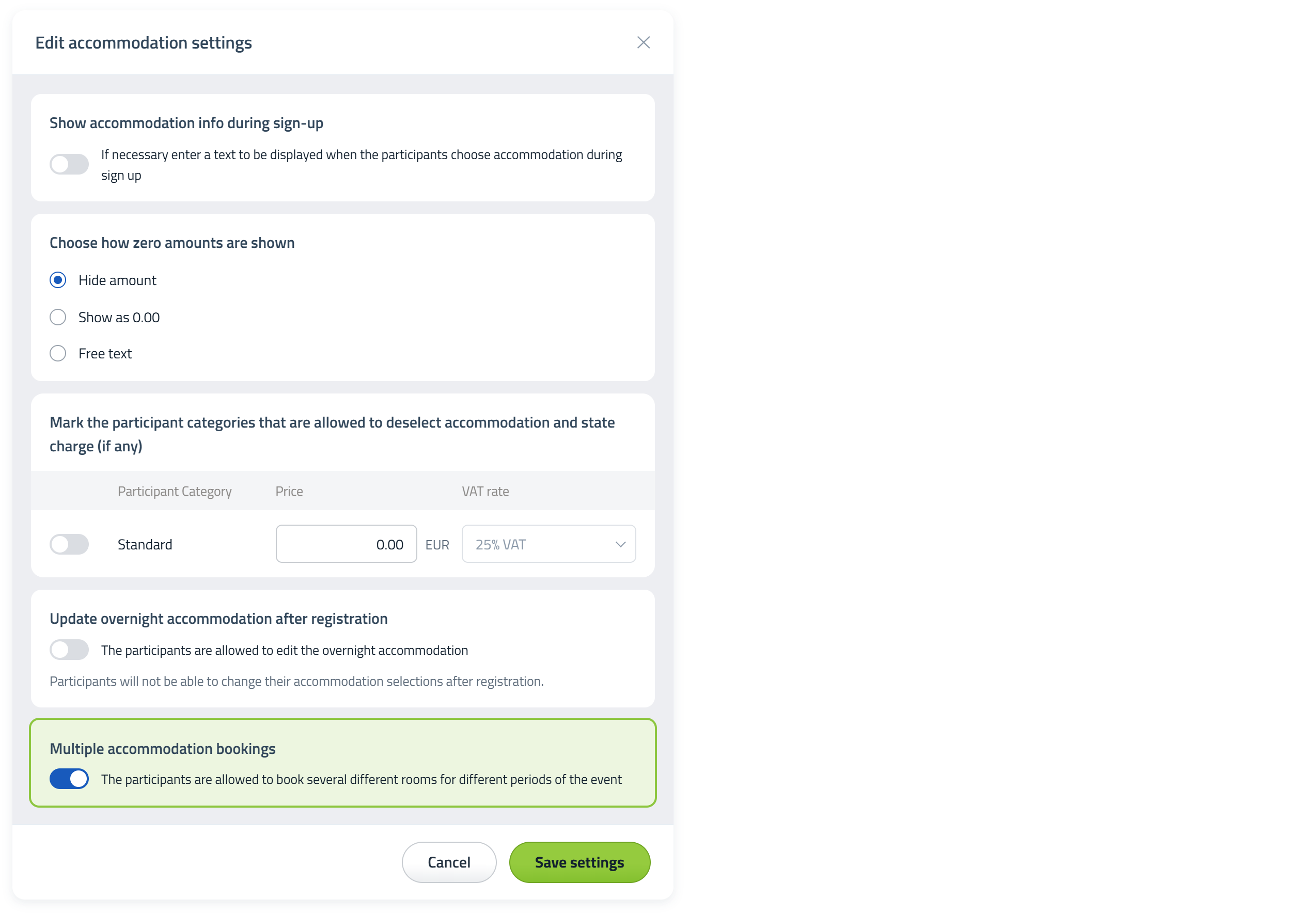
In Edit accommodation settings, enable Multiple accommodation bookings.
Click Save settings.
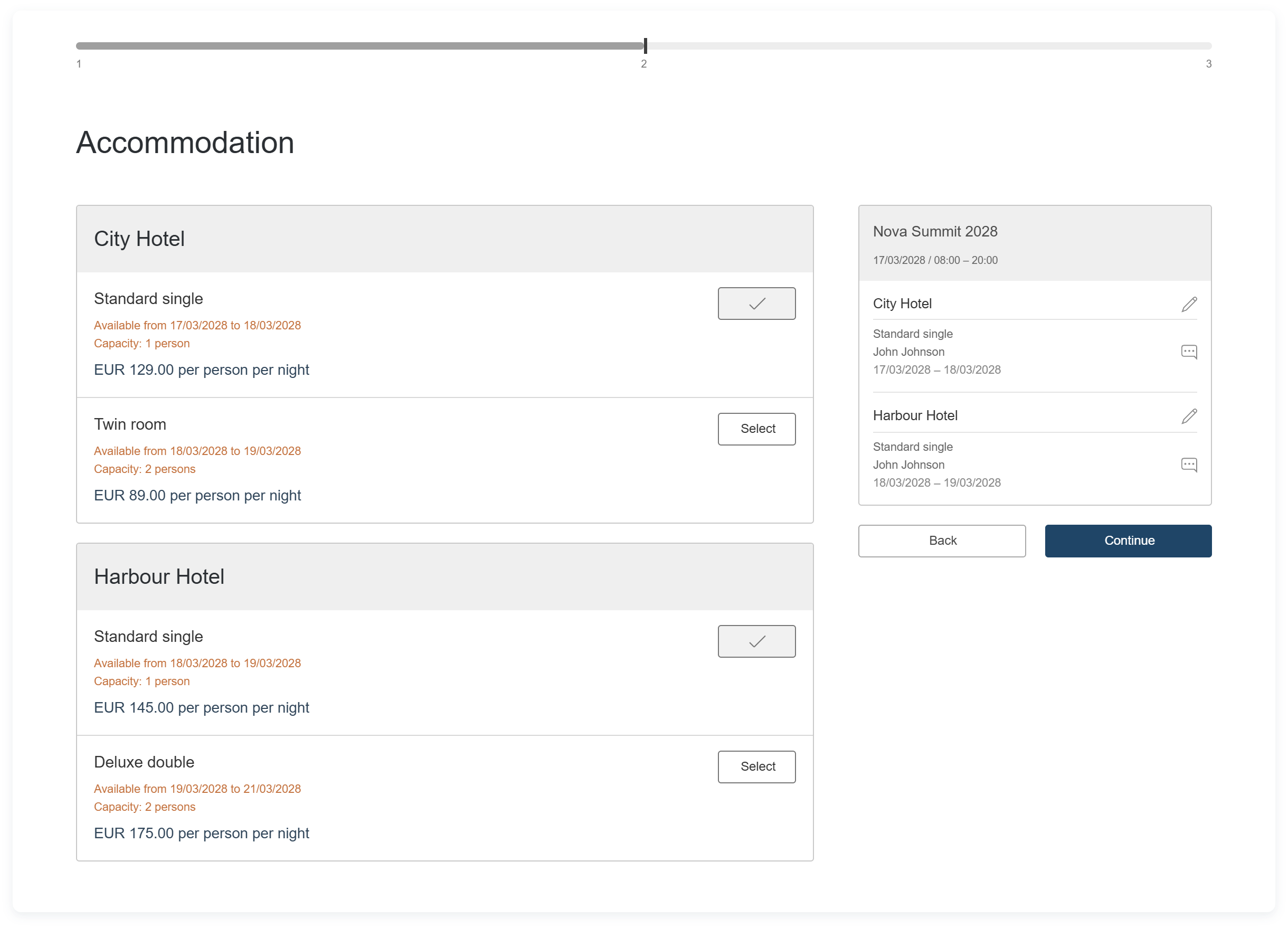
How it works for participants
When the setting is enabled, participants can select more than one accommodation during registration, with a separate booking period for each stay.
The booking periods cannot overlap. However, one booking can end on the same date that another booking begins.
For example, a participant can book:
- City Hotel: 17–18 March
- Harbour Hotel: 18–19 March
A booking from 17–19 March cannot, however, be combined with another booking from 18–20 March, as the two stays overlap.